mirror of
https://github.com/qmk/qmk_firmware.git
synced 2026-06-03 14:13:46 -03:00
 diegorodriguezv
1.8 KiB
1.8 KiB
SZR35
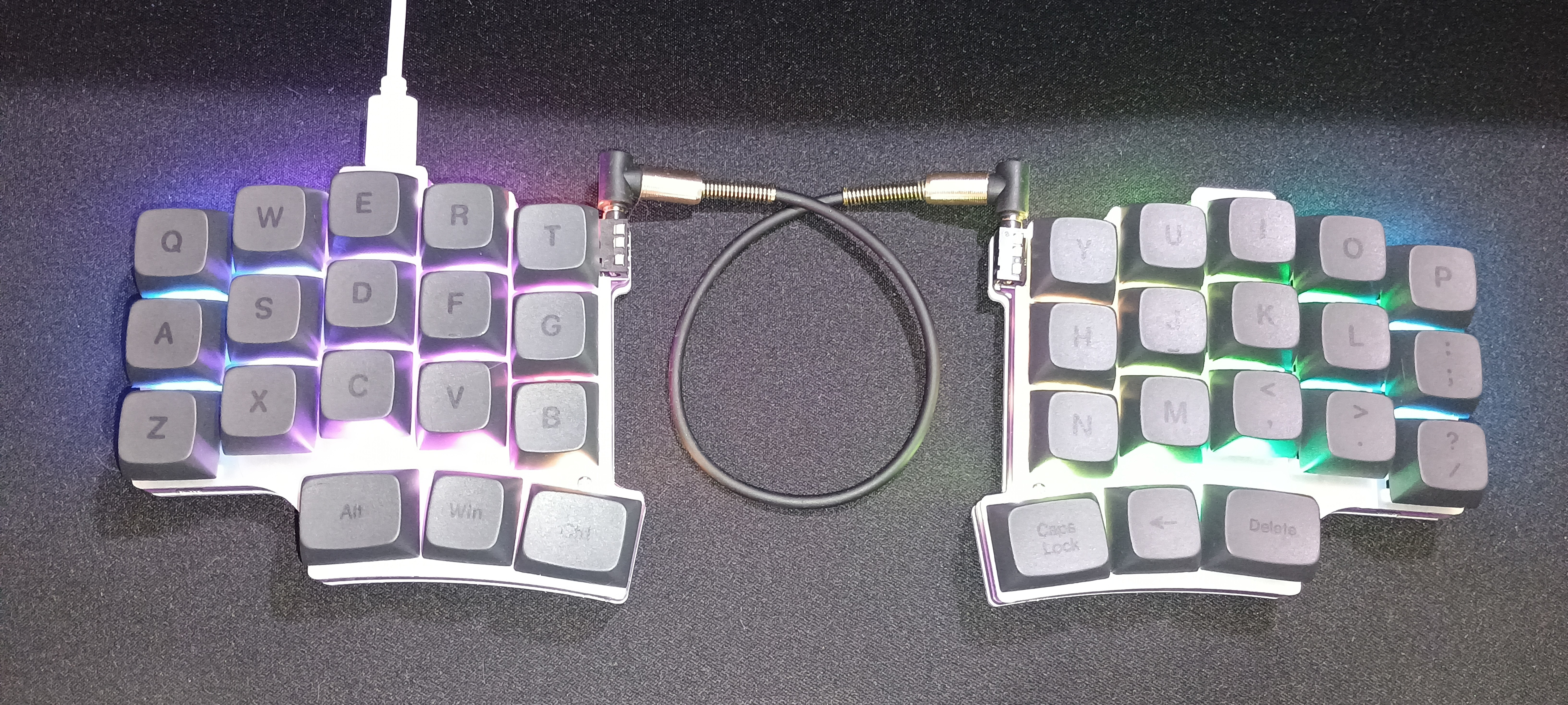
The SZR35 is a minimalist 36-key split keyboard. It follows the popular 3x5+3 layout and is aimed at users who value ergonomic typing, portability, and open-source firmware flexibility. It ships with Vial-compatible firmware and is built around an STM32 microcontroller.
- Keyboard Maintainer: diegorodriguezv
- Hardware:
- Microcontroller: STM32F401RBT6 (Cortex-M4, 256KB Flash, 64KB RAM)
- Backlighting: Addressable RGB (WS2812 or similar)
- Connection: USB-C on both halves, TRS jack for interconnect
- Hardware Availability:
- HardToChooseOne on Amazon.
- Alternatively sold from other websites under the SZRKBD brand.
Make example for this keyboard (after setting up your build environment):
make szrkbd/szr35:default
If you want you can use the keymap that came with the keyboard from factory:
make szrkbd/szr35:factory
You need to flash each half of the keyboard with the same firmware:
make szrkbd/szr35:default:flash
See the build environment setup and the make instructions for more information. Brand new to QMK? Start with our Complete Newbs Guide.
Bootloader
Enter the bootloader in 3 ways:
- Bootmagic reset: Holding top left key for the left half, top right key for the right half, while plugging in the USB cable.
- Physical reset button: Short the reset pads, marked within a white rectangle, while plugging in. Not the ones at the edge opposing the USB connectors but about 2 or 3 centimeters from that edge.
- Keycode in layout: Press the key mapped to
QK_BOOTif it is available.